-
-
April 24, 2019 at 9:35 am
Johnson
SubscriberHi all,
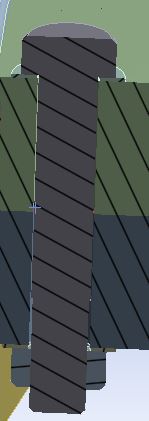
I am using the named selection for my project. I would like to select the upper Edge of the borehole in the lower flange. In the Worksheet I defined the Edge Size and the position . Ansys selects two Edges of the connecting bodys (upper flange and lower flange). Can I somehow reduce my selections to the lower flange only?
If not can I use an APDL script for such a problem?
Â
Thank you,
Johnson
-
April 24, 2019 at 10:39 am
Rob
Forum ModeratorTry suppressing the volume you don't want to pick edges on when creating the selection. Then unsuppress. Not sure what it'll do if you do an update of the geometry so check this!Â
-
April 24, 2019 at 12:39 pm
Johnson
SubscriberI have do redo the procedure, when I upload the geometry again. But it works for the moment. Thank you!
Is it actually possible to write APDL commands to costomize named selections?
-
April 25, 2019 at 12:51 pm
jpasquerell
Ansys EmployeeAnother option would be to give the lower flange a unique name such as lowflange in the Geometry branch. Then in the worksheet set line 1 to: Add Body Name Equal lowflange. line 2 to: convert to edge. then lines 3 and 4 as you show in the image.Â
Named selections in Mechanical are converted to components (see the CM command) when passed to the MAPDL solver. Commands can be used to alter or add components but changes done in command objects do not change the named selection data in Mechanical. The MAPDL solver does store the component definition on the results file (and MAPDL db file if saved).  Â
-
April 30, 2019 at 2:16 pm
Johnson
SubscriberThank you for your advise. This is very helpful!
-
- The topic ‘Creating named selections in the worksheet’ is closed to new replies.
-
6635
-
1906
-
1469
-
1312
-
1022
© 2026 Copyright ANSYS, Inc. All rights reserved.