Fluids

Fluids

Topics related to Fluent, CFX, Turbogrid and more.

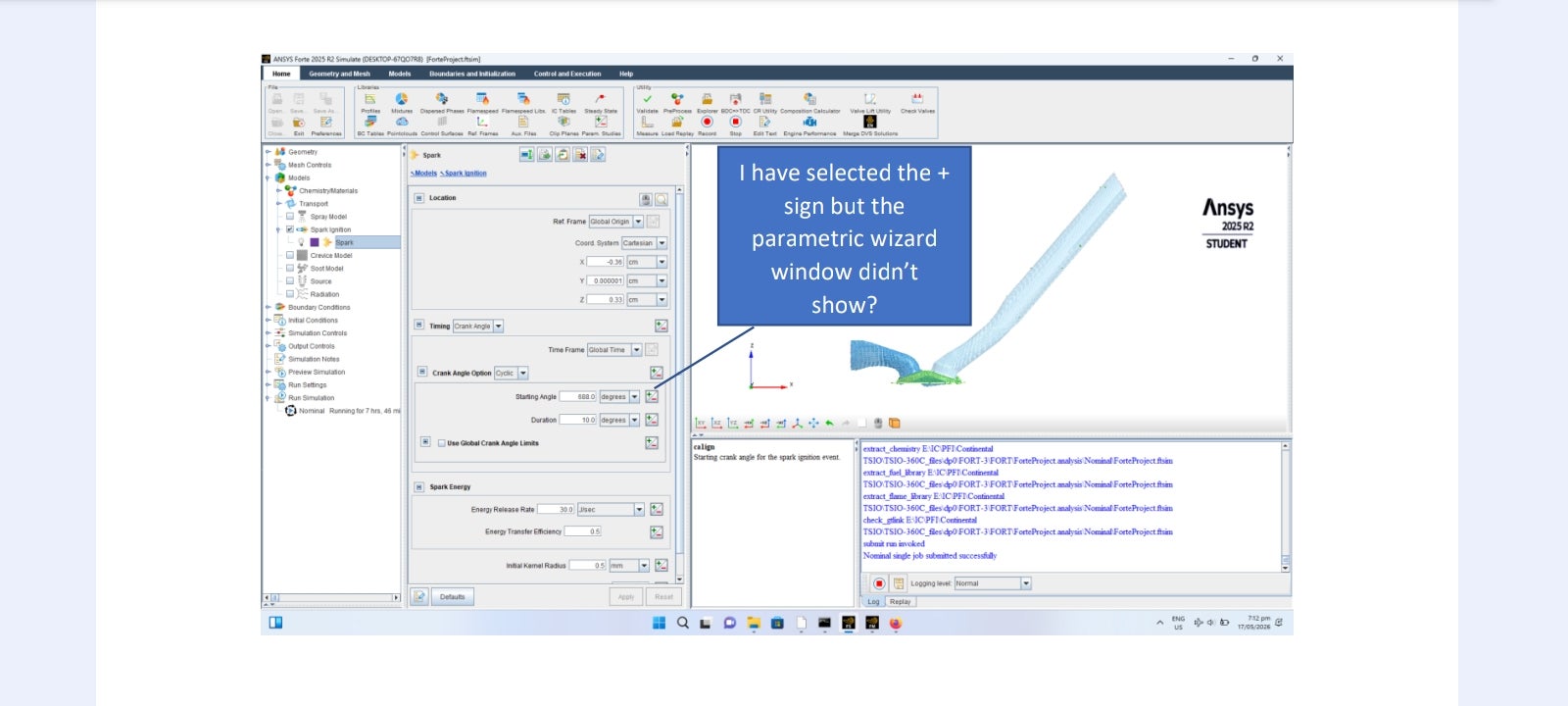
Parameters wizard not showing in Forte

    • Hasan
      Subscriber

      I have selected the + sign for parameters setting but wizard setting window didn't show. Have I missed anything or Forte academic doesn't show this? 

    • Hasan
      Subscriber

    • Ren
      Ansys Employee

      The "+" sign is just part of the icon/image, not an actual button. Please try to click on an area closer to the center of the icon.

    • Hasan
      Subscriber

      Still nothing happened, the icon did change color shade but the window wizard didn't show. This is an academic version, maybe a specific setting is required before clicking on this icon. 

    • ANSYS_MMadore
      Forum Moderator

      Hasan, do the other icons respond when clicked? Is it only this one specific icon which is not responding?

      • Hasan
        Subscriber

        Everything else is fine and the tutorial run fine, I thought maybe this is an academic version. If there is another way of setting a parametric run, example different spark plug timing please let me know, a step by step procedure if possible. Thanks. 

    • ANSYS_MMadore
      Forum Moderator

      I've tested with the academic version and I can click that icon and it opens the expected window. Can you ensure you have updated graphics drivers on your machine? Please download them from the vendor's website, either Nvidia or AMD, rather than using the Windows Update options.


Viewing 5 reply threads
  • You must be logged in to reply to this topic.