Ansys Assistant will be unavailable on the Learning Forum starting January 30. An upgraded version is coming soon. We apologize for any inconvenience and appreciate your patience. Stay tuned for updates.
General Mechanical

General Mechanical

Topics related to Mechanical Enterprise, Motion, Additive Print and more.

problem adding acoustic absorption surface

    • ORHUN OKCU
      Subscriber

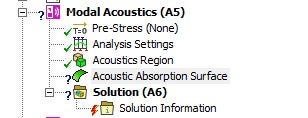
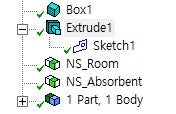
      Hello, I have been trying to do acoustic modal analysis of the room with absorption surface at the bottom of the room.  I could not add acoustic absorption surface into my modal. I created box and the imprint surface at the bottom by extrusion. (I followed the book named Acoustic Analyses Using MATLAB and ANSYS). When I select this surface, the question mark is appear. How can I solve this problem. By the way, I am using student lisence. Thank you in advance. 

    • ErKo
      Ansys Employee


      Hi


      That should work only on a single non shared face belonging to an acoustic region made of a 3D part/body.

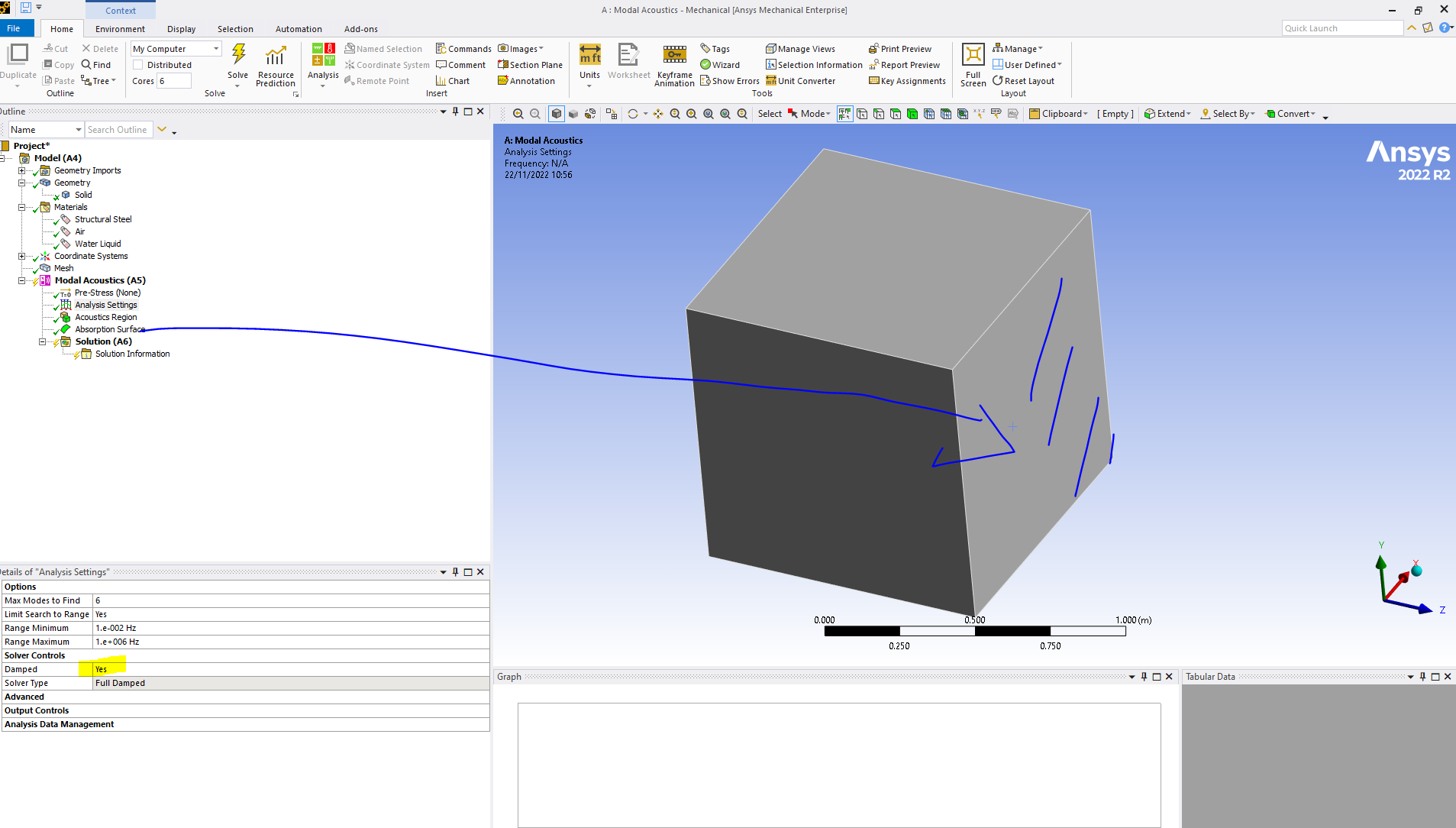
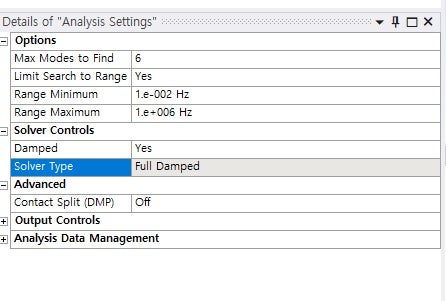
      Also one needs to activate a damped solver since this adds damping – done under analysis settings.

      One can see this error when trying to solve your system as it is – it will prompt the user to use the damped solver.

      Thank you


    • ORHUN OKCU
      Subscriber

      First of all, thank you for response. I turned the damping on but I have still question mark. How should I add the surface to my body? I have created surface from the sketch by extrusion. Then I select the operation as a imprint faces.

    • ErKo
      Ansys Employee


      I meant face  – so it can be scoped to a face belonging to a part/body. So for sure there is something going on with the geometry – can you show it please and the list of all parts involved (also it can not be an interior face).

      So do a simple example - do a cube - and scope the absorption surface to one side/face - that should work.

      Erik


    • ORHUN OKCU
      Subscriber


      I scoped by the using both geometry selection and the named selection. I selected from the outside as well. But question mark still remains.


    • ErKo
      Ansys Employee


      Try to start from a new project – create a BOX in designmodeler. Then apply it to one of the sides/faces of the cube and that should work (as shown below) – try that.

    • ORHUN OKCU
      Subscriber

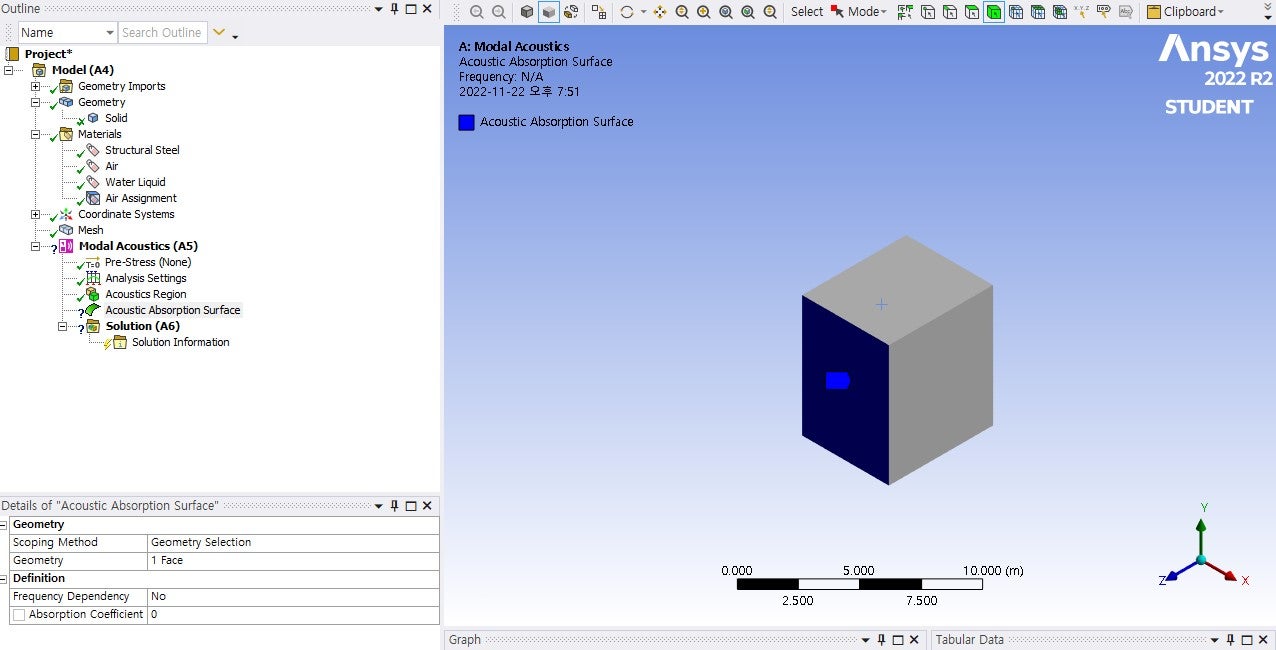
      Sorry, I have done what you said. I think I am doing something wrong. What I have done is create the box. Then I assigned the air as material to acoustic region. Then I scope one face of the cube for absorption surface. I have still question mark. This is my screen.


    • ORHUN OKCU
      Subscriber

      How can I lift the question mark from the acoustic region without material assignment? Sorry for bothering. I am real beginner.

    • ErKo
      Ansys Employee

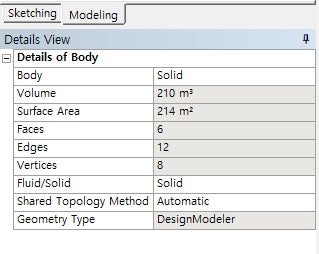
      No worries – can you show the details of your solid body (want to see what material it has), and show me the analysis settings just like I showed.

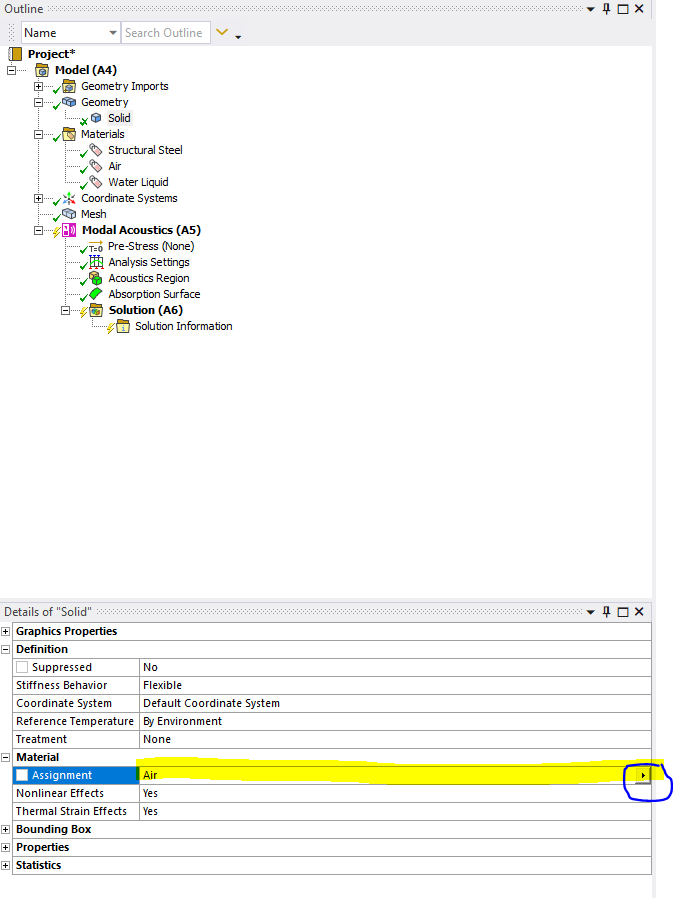
      Also take away that material assignment and use directly as shown below:


    • ORHUN OKCU
      Subscriber

    • ORHUN OKCU
      Subscriber

      Thank you so much. Have a nice day

    • ErKo
      Ansys Employee


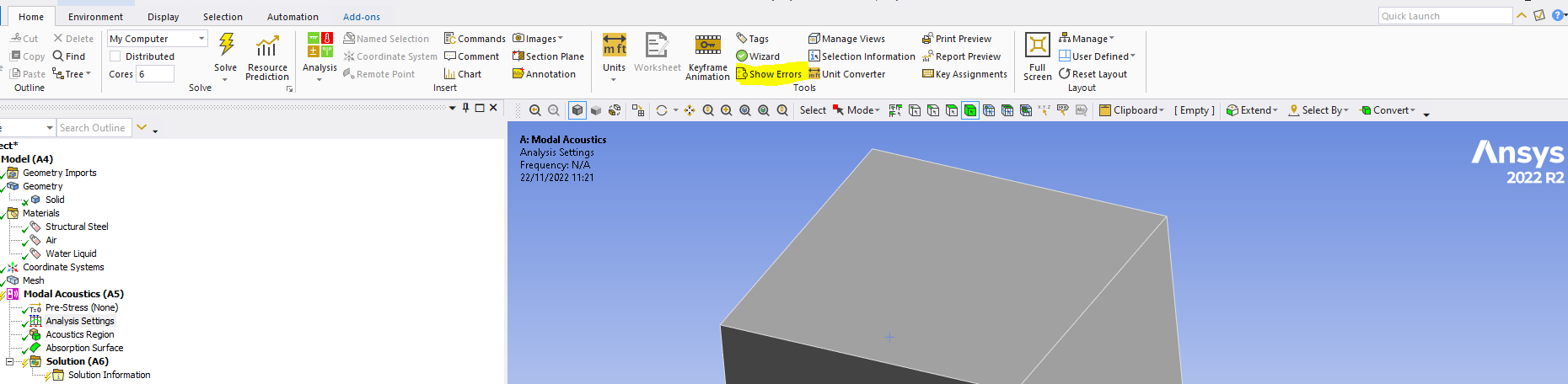
      Not in Designmodeler – in modal acoustics/mechanical like I showed in my last image – make sure you select air like shown in my last image - if you have that (Air) and it does not work press the button indicated below to show the error message – all the best

      Erik


    • ORHUN OKCU
      Subscriber

      It worked. Thank you very much.

    • ErKo
      Ansys Employee

      That is great - can you share and say what you changed to get it to work please incase someone else has the same issue.

      Please share below

    • ORHUN OKCU
      Subscriber

      I have assigned the air for the solid body from the body detail page. The question mark next to absorption surface turned to check. For those who encounter a problem about adding absorption surface make sure that your solid body material is air.

    • ErKo
      Ansys Employee

      Thank you - yes, we need to have acoustic properties/material for acoustic regions - so we need at least speed of sound and density for the material properties for acoustic regions.

Viewing 15 reply threads
  • The topic ‘problem adding acoustic absorption surface’ is closed to new replies.
[bingo_chatbox]